HomeCategory

Cyber Security

Service

What is Data Loss Prevention (DLP)


DLP shields the organisation against insider threats, the employees included and appropriates data leakage or loss in the event of system compromise. DLP will allow organisations to hold files sent through email or any team sharing application and any file that is tried to be uploaded to the internet.
https://mditinfra.com/wp-content/uploads/2025/01/DLP.png

Service

What is Web Application Firewall (WAF)?


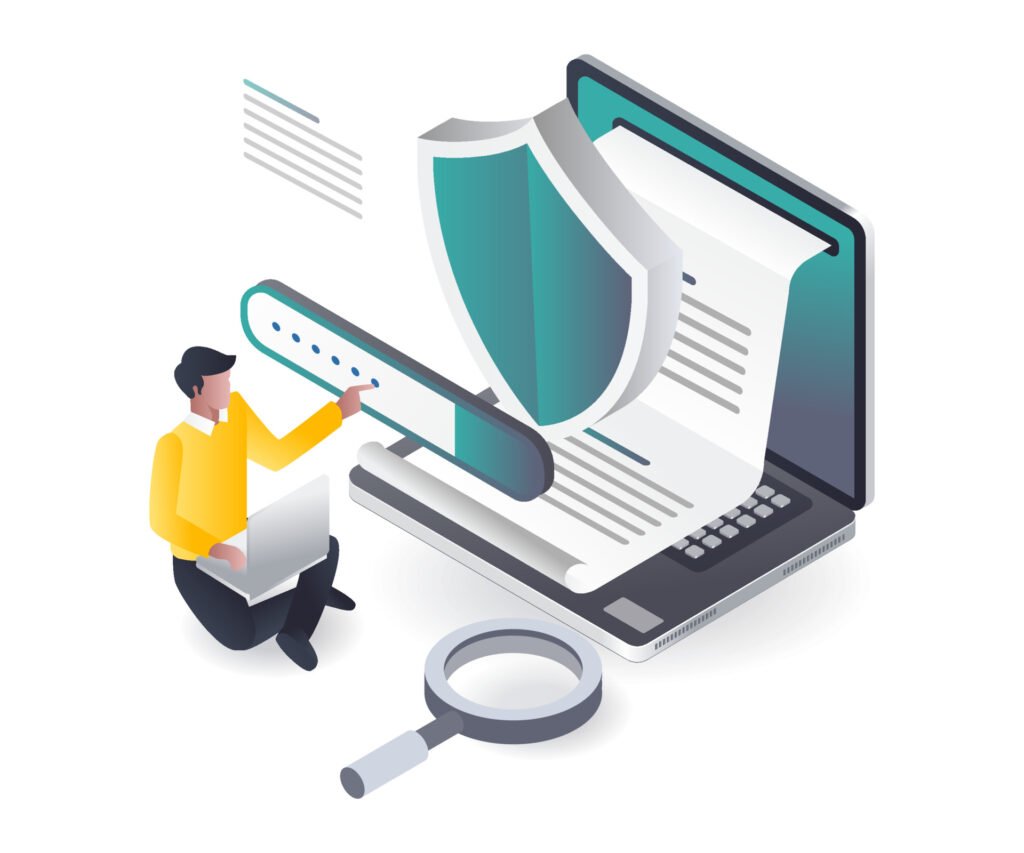
Application security is increasingly complex. Web Application Firewall makes it simple. Web Application Firewall is a part of an integrated platform that brings a comprehensive set of interoperable solutions and capabilities together.


A web application firewall is a specific form of application firewall that filters, monitors, and blocks HTTP traffic to and from a web service. A WAF or web application firewall helps protect web applications by filtering and monitoring HTTP traffic between a web application and the Internet.

Information Protection Program and blog

Why we need Web Application Firewall for our organization?


A WAF protects your web applications by filtering, monitoring, and blocking any malicious HTTP/S traffic traveling to the web application, preventing unauthorized data from leaving the app. It does so by conforming to a set of policies that help determine what traffic is malicious and what traffic can be considered safe.


WAF, or the Web Application Firewall, is an integral part necessary for any effective solution to security, providing enhanced security to websites and enhancing the general posture of security.

Features of Web Application Firewall

  • Web traffic filtering
  • WAF Bot Control
  • Account takeover fraud prevention

  • Full feature API
  • Real-time visibility

Web traffic filtering

WAF allows you to set up rules to manage web traffic by looking at factors like IP addresses, HTTP headers and content, or specific URLs. This adds an extra layer of security against web attacks that try to take advantage of weaknesses in custom or third-party web applications. Plus, WAF simplifies the process of creating rules to stop common web threats such as SQL injection and cross-site scripting.

WAF Bot Control

WAF Bot Control is a managed rule group that helps you monitor and manage common bot traffic. This traffic can use up too many resources, affect metrics, cause downtime, or do other unwanted things. With just a few clicks, you can block or limit the speed of bots like scrapers, scanners, and crawlers, or let through bots like status monitors and search engines. The Bot Control managed rule group works with other managed rules for WAF or your own custom WAF rules to protect your applications.

Account takeover fraud prevention

WAF Fraud Control – Account Takeover Prevention is a managed rule group which performs the use case prevention of unauthorized access to user accounts through compromised credentials on the application’s login page on a constant basis. Additional measures may also be taken towards this end such as preventing users from using credentials more than once in a given time span. Further, some optional JavaScript and iOS/Android SDKs bring additional telemetry for devices trying to login into the application as well as increased security measures on app against automated bot login attempts.

Full feature API

All WAF capabilities can be managed via APIs, allowing organizations to develop and implement rules automatically and use them in the building and designing process. For instance, a security feature could be made by a developer familiar with all the ins and outs of the web application exactly in the course of deploying it. This ability to integrate security into development processes turned out to be helpful in ¬eliminating prolonged back and forth between application and security teams to ensure rules were always current.

Real-time visibility

Whenever users get connected, the WAF offers live statistics and network traffic logs, which also include the IP address range, global coordinates, URIs, User-Agent, and Referrers. AWS WAF has complete integration with AWS Cloud Watch, thereby ensuring that it is quite easy to set up custom alerts when some levels have been breached or certain attacks happen. This knowledge becomes an intelligence asset that helps in designing new patterns which will give further protection against users’ applications.

Service

What isEnd Point Protection (AV/NGAV)?


Next-Generation Antivirus elevates the form of a new level of endpoint security protection. It differs from conventional file-based malware signatures and heuristics because it is system-centric and cloud-based. It makes it possible to deploy within a few hours rather than months.


Endpoint security is the process of protecting entry points of end-user computers including desktop, laptop, and mobile devices from being used by malicious attackers and campaigns. In general, an endpoint security software works by employing an agent-server model of communication. The agent application is installed on all the endpoints and it gather and pull data from time to time, some of which are unpatched vulnerabilities, missing patches, etc.

Service

Why we need End Point Protection for our organization?


Endpoint security is one of the most effective solutions for preventing these weaknesses from turning into a security issue. It is also worth understanding that insider threats can be completely involuntary. A single individual can inadvertently contribute to a breach and it is possible for the individual to be completely unaware that they have compromised the entire system.
https://mditinfra.com/wp-content/uploads/2025/01/Endpoint-Protection.png

Features of End Point Protection

  • Threat protection
  • Device and application control
  • Data loss protection
  • Intelligent alerting and reporting

  • Automated detection and remediation
  • Flexible deployment options
  • Application Control

Threat protection

An organization’s endpoint protection must scan every email attachment to protect the company from attacks.

Device and application control

Link Load balancing is achieved by implementing a Multilayer switch that helps in equally distributing Data Centre processing loads and heavy traffic among various servers to avoid becoming a burden on a single device.

Data loss protection

DLP shields the organisation against insider threats, the employees included and appropriates data leakage or loss in the event of system compromise. DLP will allow organisations to hold files sent through email or any team sharing application and any file that is tried to be uploaded to the internet.

Intelligent alerting and reporting

These offer priority based threats and alerts pertaining to the vulnerabilities, Endpoint Security Dashboards & Reports.

Automated detection and remediation

It is vital that threats are recognized as early on in the process as possible. If a threat manages to live in an environment for a long time, it means it is expanding and thus the more harm that it can cause. It is now becoming customary for most endpoint security solutions to have real-time detection features.

Flexible deployment options

Endpoint security tools should adapt to the organization’s needs and environment, offering on-premises or cloud deployment options. Tools should also offer protection for every endpoint in the company that touches data.

Application Control

These allow organizations to restrict what devices can upload or download data access hardware, or access the registry. IT can also reduce the chances of shadow IT by creating application allowlists-blocklists that identify what software and apps can and cannot be installed on an endpoint.

Service

What is Multi-Factor Authentication?


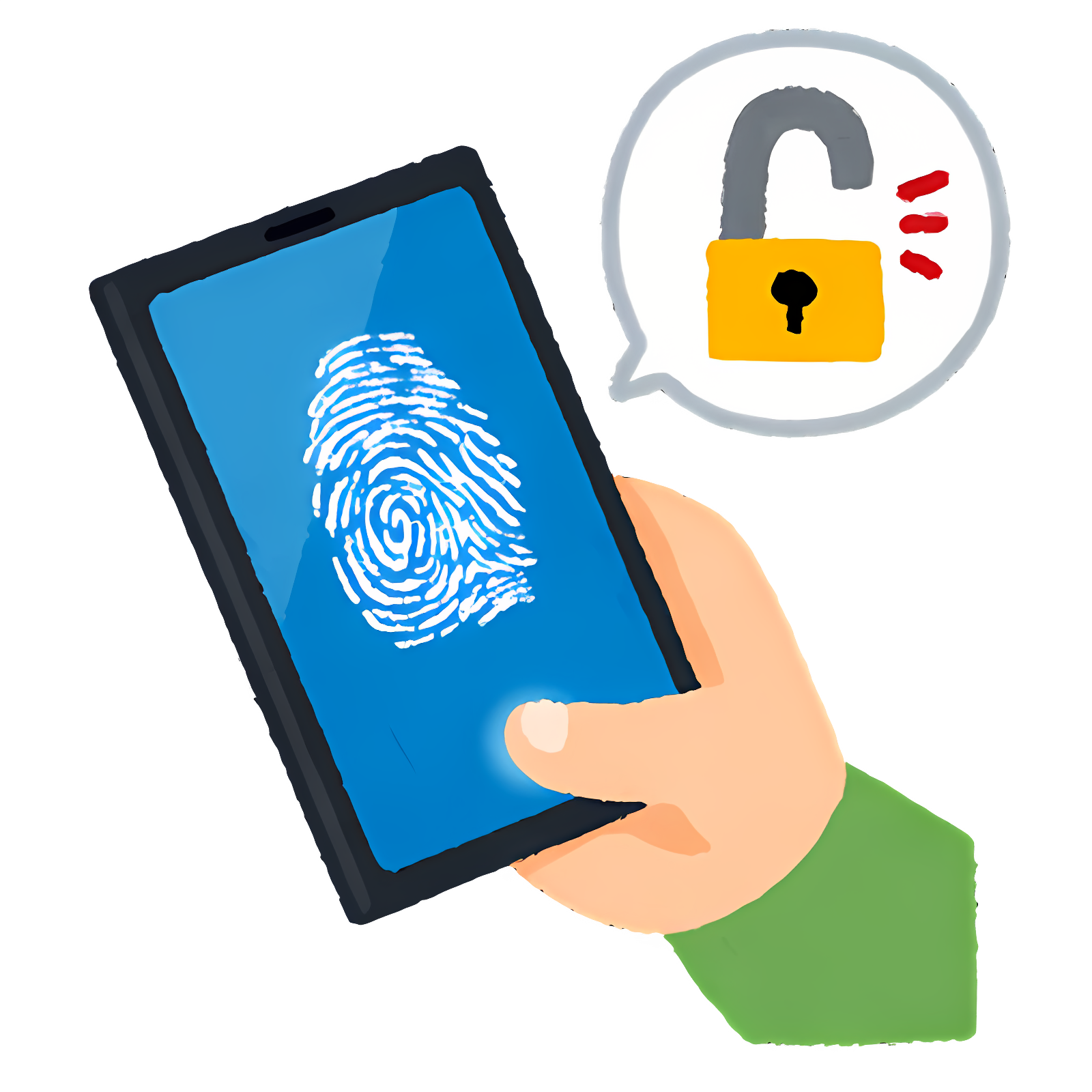
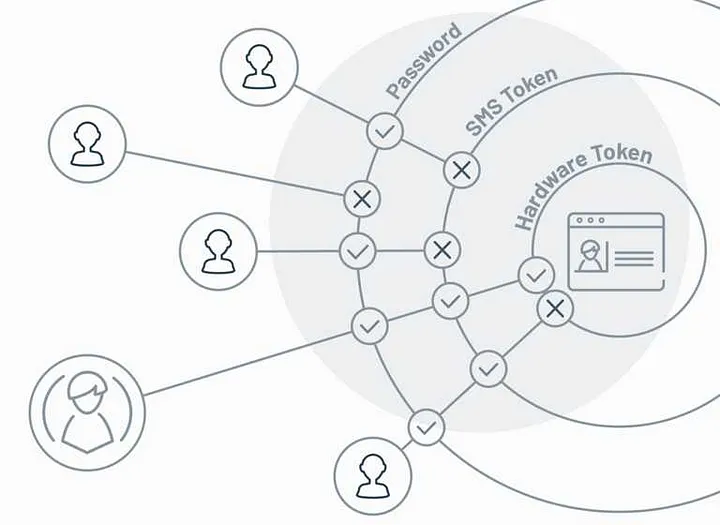
Multi-factor authentication is like a digital fortress. You can only step inside after proving you belong. Show two or more credentials—something you know, something you have, and something you are. It’s your key to safety!
Service

Why we need Multi-factor Authentication for our organization?


MFA is a game changer for your organization’s security. It pushes users to prove their identity beyond just a username and password. Think about it—passwords are like a flimsy lock on a treasure chest. They can be cracked or swiped by sneaky intruders. Why settle for just a password when you can fortify your defences?
https://mditinfra.com/wp-content/uploads/2025/01/MAF-Feature.webp

Features of Multi-factor Authentication

  • Easy to Implement
  • Adaptive
  • Role-Based Multi-Factor Authentication Tool
  • Cloud-Based Multi-Factor Authentication Software

  • Multi Authentication Modes
  • Hard Tokens & Soft Tokens
  • Customizable

Easy to Implement

One of the main hurdles that IT departments of the organizations that are so willing to adopt MFA face is the deployment into the existing identity environments, and especially so when that environment consists of both on-premise and cloud apps. Always be sure to seek out an MFA software that can be deployed on-premises or as a service, and deployment becomes a hundred times easier.

Adaptive

Enterprise mobility and BYOD has made the user to access sensitive information from any location and through any device. Data security and compliance is at high risk. Adaptive multi-factor authentication address this by adding the flexibility to user for accessing their resources with no compromise on security. The MFA tool should feel that user has logged in from different place using different device and should put in front the challenges which a genuine user can only pass to identify him. This will avoid the unauthorized access, if somebody else has got the opportunity to try to access the user’s resources – lost/stolen device.


Role-Based Multi-Factor Authentication Tool

You often have people with different levels of privilege and different roles in an organization. A one-mode-fits-all strategy for user authentication is definitely not the right way to go if that’s the case. The MFA software needs to be able to initiate role-based authentication for different set of users – this will be useful in managing the privileged accounts which have access to sensitive data, and for hardening security.

Cloud-Based Multi-Factor Authentication Software

The count of cloud applications that is getting used in Enterprise or Higher-Ed Institutions in increasing day by day. Be it Email, CRM, ERP, Productivity apps or anything and everything is moving to cloud. Same with MFA too. When you are serving such customers, you can’t ask your customer worry about availability and manageability. Need to be relevant to changing times.

Hard Tokens & Soft Tokens

A small piece of device like key fob or smart card transmits a one-time password to the session of the user. The users have to carry the hard token along in order to use this means of MFA. A soft token could be in form of a one-time password that is created by an application or a software to authenticate the user’s identity. More of the organizations prefer using soft tokens as the hard tokens can be stolen or may be lost.

Customizable

The Enterprise IT should have an option for instance to allow end users to manage their device and decide whether to require MFA in the specific device or not. This will result in improved end user capacity and allow them to use various equipment in a secure manner.

Multi Authentication Modes

Modes of authentication like Email, Phone, Browser Push Notification, Device, Challenge Questions and Touch ID not only provide diverse options to users which they prefer, but also increases the level of security in the applications. Some modes that you need to look out for are: Some modes that you need to look out for are:


Email Verification – This is an email that a user receives with a link that verifies his account or a code. The user must either click on the link or type the verification code so that the he/she can be allowed to access the resources.

Phone Verification – OTP(one time password) is sent to the phone number you used at the time of account sign-up and this is required when accessing the account.

Browser Push Notifications – One gets created on the browser, which helps in pulling the verification code and further aids in the confirmation of the user.

It can also be noted that Biometrics – Based MFA is most secured authentication method hard to break as discussed below. Biometric identification using finger prints, voice command or even scans that mimic the human retina can be used to identify the users.

Service

What is Firewall/UTM/NGFW?

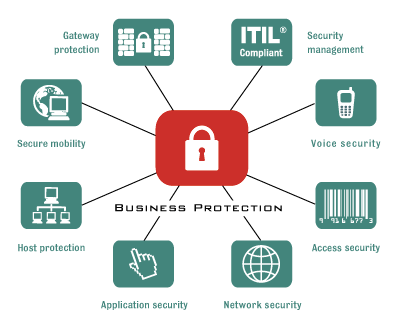
An integrated weapon system comprising various security features and services that operate in unison on a single device within the network, Unified Threat Management (UTM) is designed to shield users from security threats in a straightforward manner. Functions provided by UTM include Firewall, Antivirus, Antispam, Intrusion Prevention/Detection, Web-Application Control, Sandboxing, Link Load Balance, Bandwidth Management, Client Authentication, VPN and Detailed Reporting.

https://mditinfra.com/wp-content/uploads/2025/01/Firewall.webp

Why we need firewall for our organization?

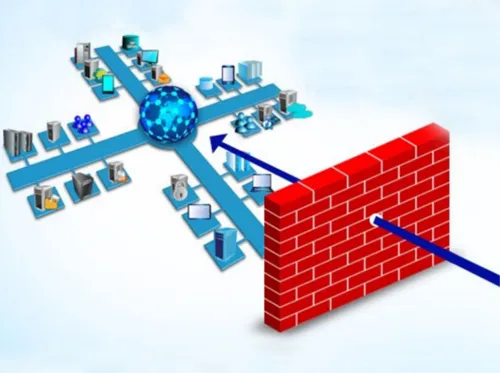
Without a firewall, any request will pass through to vulnerable systems, making it possible for malicious actors to access your computer for their own gain. A firewall blocks unauthorized requests and allows passage only to designated traffic. There are a couple of functions used by the firewall to ensure your servers’ safety, and we will briefly go through them.


What is the importance of having a firewall for our organization?

In the absence of a firewall, any request comes through to the undefended system, which gives an opportunity for hackers to reach your machine for personal benefits. The function of a Firewall is to block unauthorized requests and permit only authorized traffic. The firewall performs several functions that guarantee the security of your servers; let’s take a quick look at them.

Features of Unified Threat Management

  • Firewall
  • Link Load Balance
  • SD-WAN
  • Site to Site VPN
  • Client/Remote VPN

  • Gateway Antivirus
  • Web Content Filtering
  • Intrusion Prevention System
  • Application Control
  • Bandwidth Management

  • Sand Boxing
  • Antispam
  • Reporting

Firewall

Firewalls can scan both outgoing network traffic to detect viruses and malware well, as protect against phishing attacks and spam emails that could pose cybersecurity threats to your systems security. This type of firewall known as UTM (Unified Threat Management) is effective in not monitoring data flow but in preventing any devices, within the network from inadvertently spreading malware to other connected networks.


Link Load Balance

Link load balancing involves using a switch to distribute data centre processing tasks and high network traffic volumes across several servers avoiding overburdening any individual device.


SD-WAN

Ensure the safety of users and devices throughout your wide area network (WAN) while making IT operations more efficient. Zero trust session integrity, supported by vector routing and access policies that default to denial are, among the methods we employ to guarantee robust security, with SD WAN.

Site to Site VPN

Using a Virtual Private Network (VPN) individuals can securely transmit and receive data, over public networks by creating a private connection that simulates direct access to a secure network, from their devices.

Client/Remote VPN

With a remote access VPN employees can securely connect to a computer network and access resources as if they were physically connected to the networks servers directly.

Gateway Antivirus

The Cloud Gateway Anti-Virus feature brings in a cutting-edge malware scanning fix. This new solution works with and builds upon the Gateway AV scanning tools already on firewalls. It aims to tackle the ongoing rise in malware samples out there.

Web Content Filtering

Firewalls can scan both outgoing network traffic to detect viruses and malware well, as protect against phishing attacks and spam emails that could pose cybersecurity threats to your systems security. This type of firewall known as UTM (Unified Threat Management) is effective in not monitoring data flow but in preventing any devices, within the network from inadvertently spreading malware to other connected networks.

Intrusion Prevention System

An Intrusion Prevention System’s main jobs are spotting fishy activity writing down key info trying to stop the activity, and then telling someone about it. IPS’s protect against many types of attacks. These include SQL injection cross-site scripting running code from afar, shell code payloads, and remote procedure calls.

Application Control

The application control consists of all these functions like completeness and validity checks, identification, authentication, authorization, input controls, and forensic controls, etc. Application controls, in other words, guarantee that the application and its related data are protected against unauthorized access, modification, and destruction.

Bandwidth Management

Overconsuming of network capacity in one location can have a negative effect on the whole network. Bandwidth issues may also cause the critical business services to be unavailable and result in the network downtime. You are probably just buying more bandwidth to solve the problem, but you are only treating a symptom of a bigger problem.

Sand Boxing

Sandboxing refers to a cyber security practice where you run the code, then observe and analyze the code in a secure, isolated environment on a network that basically imitates the end-user operating environments. Sandboxing is a practice mainly designed to prevent threats from getting onto the network and is often used to examine code that is either untested or untrusted.

Antispam

Anti-Spam Engine is a full filtering solution, which prevents junk mail and viruses from reaching our servers. Your inbox is thus secured from spam and you are saved from spending hours managing unsolicited email. AntiSpam provides easy service from the first installation to the last report.

Reporting

Offers real-time activity tracking of users, monitoring the bandwidth usage, identification of the application, analytics, and forensics flow, compliance and audit reports, scheduled reports, among others.

MD IT Infra SolutionHeadquarters
26/378, geeta apartment, Balkrishna mandeer road, Ranip, Ahmedabad-382480.
OUR LOCATIONSWhere to find us
https://mditinfra.com/wp-content/uploads/2019/04/img-footer-map.png
GET IN TOUCHInfra Solution Social links
Taking seamless key performance indicators offline to maximise the long tail.
MD IT Infra SolutionHeadquarters
26/378, geeta apartment, Balkrishna mandeer road, Ranip, Ahmedabad-382480.
OUR LOCATIONSWhere to find us
https://mditinfra.com/wp-content/uploads/2019/04/img-footer-map.png
GET IN TOUCHAvantage Social links
Taking seamless key performance indicators offline to maximise the long tail.

Copyright by MD IT Infra Solution. All rights reserved.

Copyright by MD IT Infra Solution. All rights reserved.